
Live View — the screen dispatchers watch all day — couldn’t scale for large fleets. We designed one customizable view, adapted per segment, showing dispatchers exactly what they need. Now SCALAR’s primary fleet screen and a 2026 roadmap milestone, accelerating adoption.
ZF SCALAR
January, 2025
10 months
Development Phase 2
Lead Product Designer
1 Lead, 3 Product Designers, PM, PO, SA, UI Designer
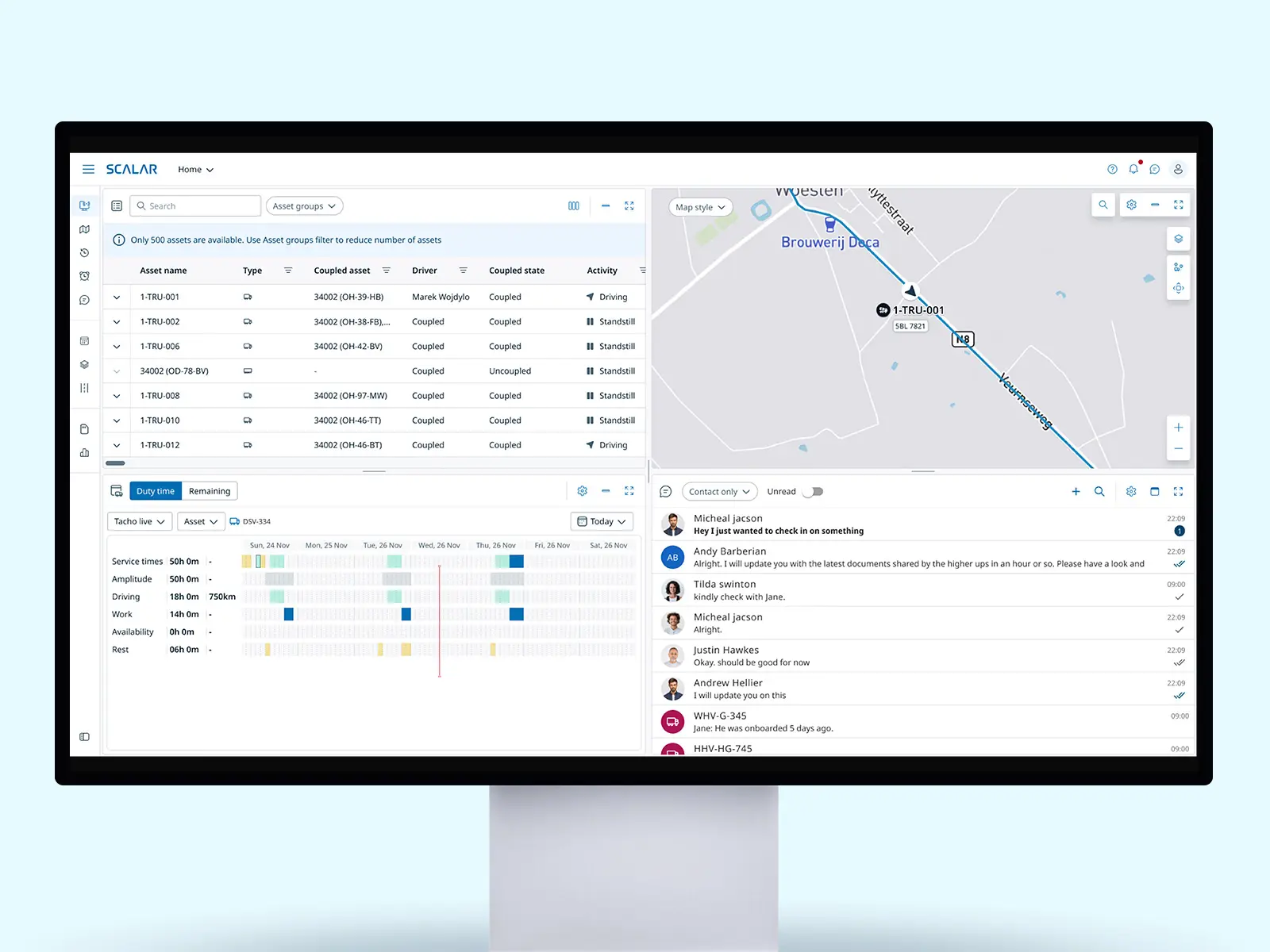
SCALAR Live-view with customizable widgets and customizable grid.
SCALAR is an enterprise fleet-management platform. The company’s primary goal is to migrate customers off a costly legacy platform that’s scheduled to be retired — a move that will save significantly on maintenance.
The legacy system is powerful and mature, and rebuilding its full depth of features within the migration timeline is far from guaranteed. Every screen we migrate has to earn that switch — and none more than Live View, the screen dispatchers use most. If it doesn’t reliably support their primary workflows, customers won’t migrate, putting the whole platform transition at risk. Early enterprise customers had already migrated by 2024–2025, and their large fleets are exactly where the old Live View broke down.
The SCALAR Live View isn’t scalable for medium and large fleets. Dispatchers must switch between tabs and click on each asset to access important information, and use another system or module to contact drivers, complicating daily operations. More data in a single view and easier driver contact are needed to streamline jobs to be done and improve decision-making.
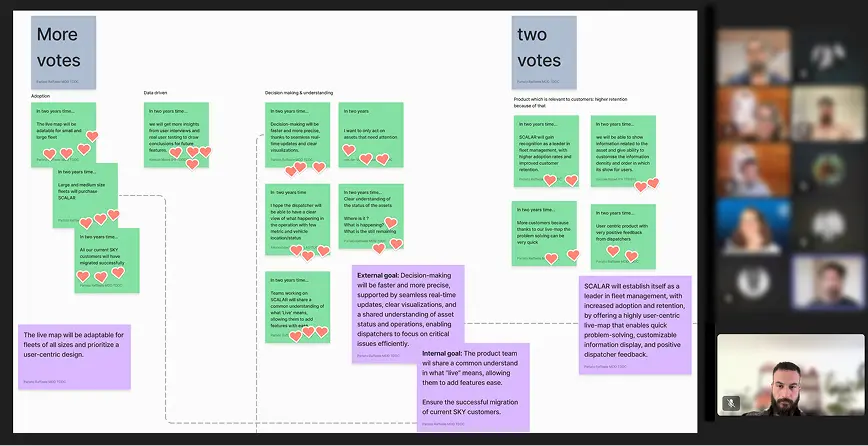
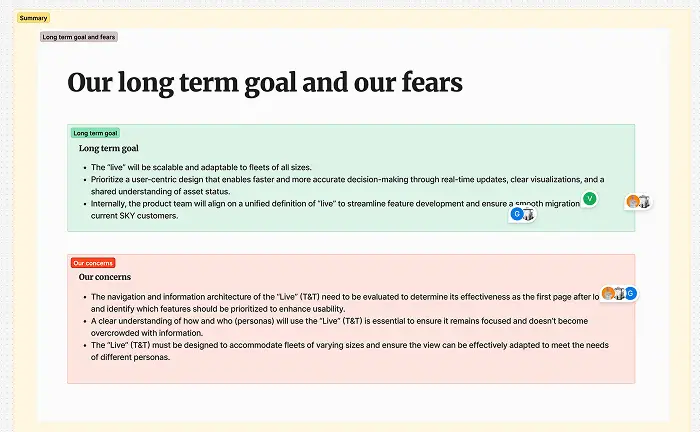
To understand the problem and align with the teams we ran 3 workshops to define the problem statement. The team was: 1 Lead, 3 Product designers, PO, PM, SA, UI designer.
To avoid designing based on assumptions, I led a mixed-methods discovery process involving customers and internal experts:
“...I don’t always need the map. Experienced dispatchers rely more on the position in text format, so that space could show more useful data instead...”
“...it depends of the moment i need different data, also depends of the transport type, there are a lot of variables, so I need to customize the view to make sure I can find the data I need..”
“..Is it ok when I have all information, because switching from one tab to another I lose lot of time, and in the night I’m with my phone and I need to use 3/4 programs and every minute is gold because I want to sleep…”
“Having to swap between screens is too clunky. You’ll miss messages or you’ll miss, you know, the messages from the drivers coming in all the time is what you’re watching really. You know, I want to treat it and they’re gone and trying to keep that screen clear and stuff. I think that's a vital part for me anyway.”
“To see the temperature, the weight on the axle, the trailer weight — you're constantly switching between lines. You can't see everything in one place.”
“...Currently we can have empty columns in the grid because the data they need for trucks and trailers are different...”
We monitored the behavior of 795 unique users interacting with the Vehicle Follow-Up in TX-CONNECT module (Legacy platform) over a period of 2 month (From April 24).
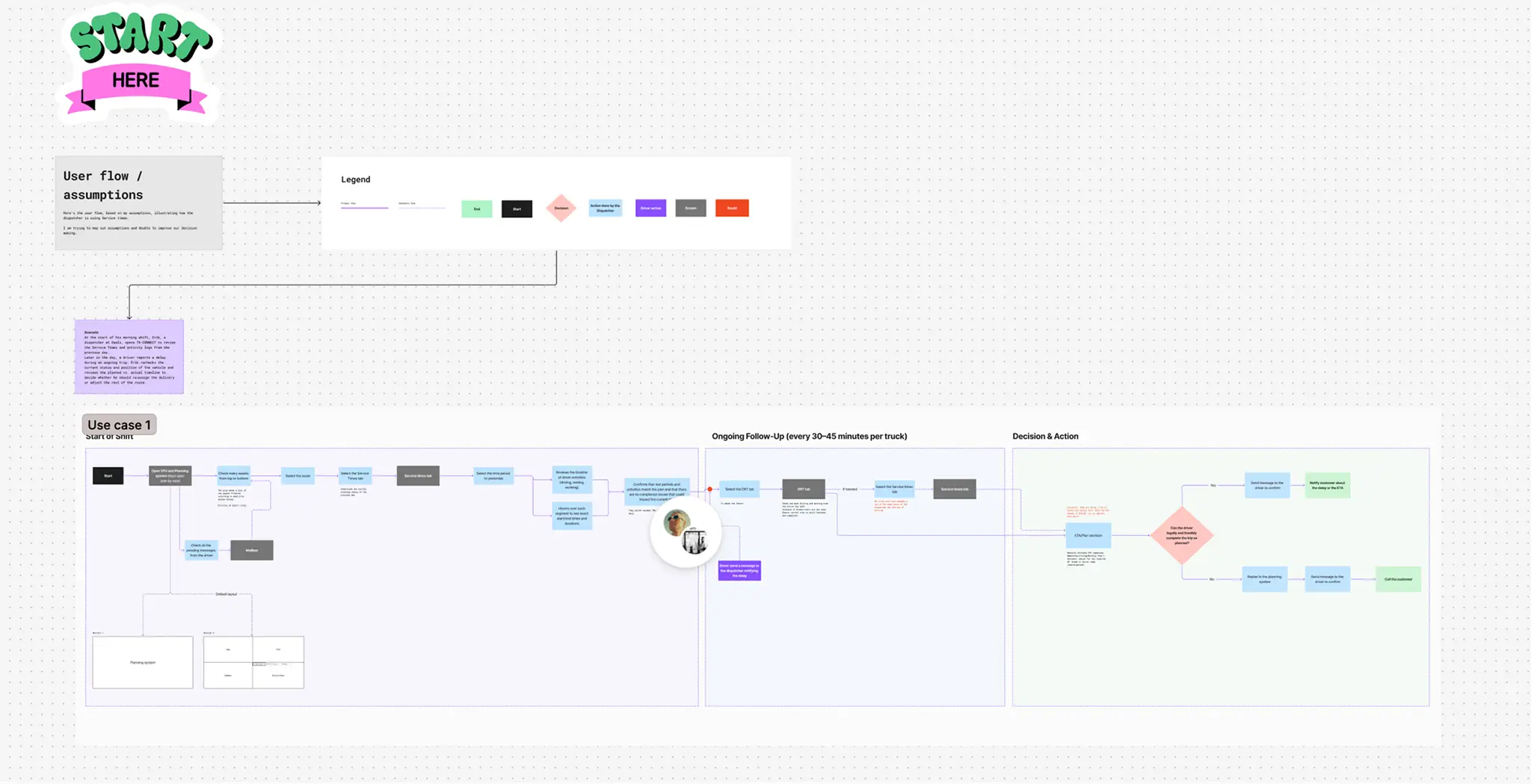
User Journey build together with the PM, mapping out the journey of the dispatcher from the start of the shift.
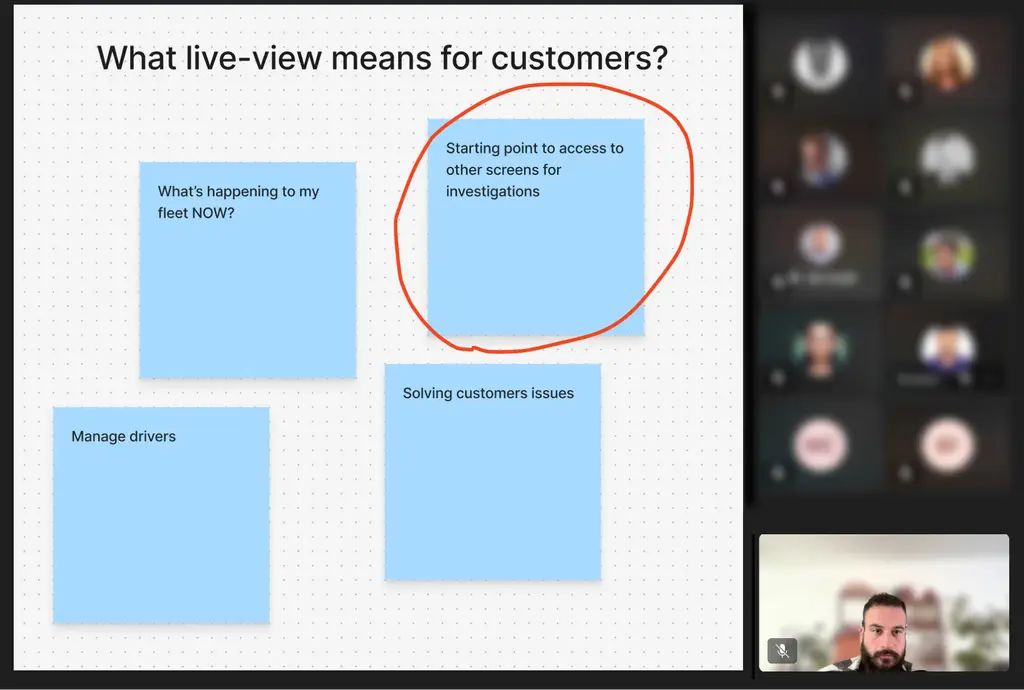
This insight was identified during a workshop where we aligned on the vision about what is the purpose of our live view, under the category “What live means for customers” we identified that Live means Real-time data uses as starting point for investigation.
I ran several rounds of testing, sharing each with stakeholders for feedback. Once we had a solid direction, I tested it with customers.
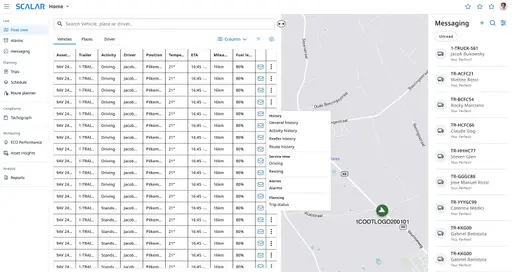
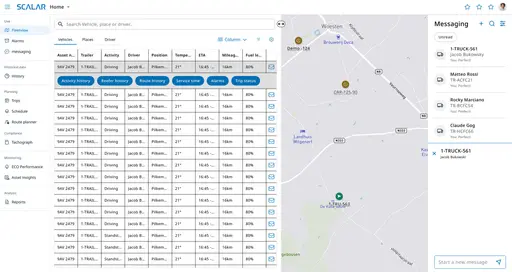
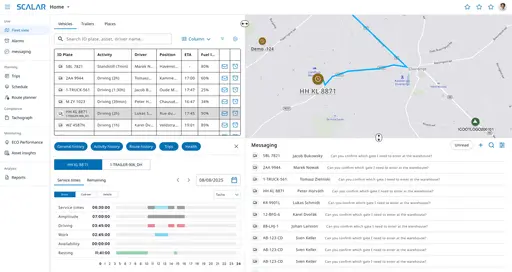
V1 is live and in use. We’re now developing V2, focused on helping dispatchers manage exceptions — with AI surfacing the situations that need attention instead of dispatchers monitoring everything manually.
Short demo of PHASE 1 of Live-view. Dev environment.
High fidelity screen
Right-click on an asset in the map widget opens a popover with an overview of the most important information.
Right-click on an asset in the grid widget opens a popover shortcuts to other screens.
Legacy platform
Old SCALAR solution
New Live-view solution
The redesigned Live View became one of SCALAR’s most strategic projects. By solving dispatchers’ core operational pain points, it increased user confidence and positioned the platform as ready for large-scale migration. V1 is now live and in use, with V2 in active development.
The new Fleet/Dispatcher view is on SCALAR’s official product delivery roadmap as a 2026 milestone — a signal of how central this screen is to making large-fleet migration viable.
Live View V1 shipped into an active migration and delivered features large fleets had been missing — directly addressing the gaps that made the old view a blocker. Since launch, new large-fleet customers have migrated onto the platform, and company-wide migration has accelerated through 2026 (chart below).
I’m deliberate about attribution: the company-wide curve has several inputs — pricing, sales motion, platform maturity — so I don’t claim Live View as the sole cause. But it removed a known blocker for large-fleet accounts, and migration among those accounts has grown since it shipped.
Now that V1 is live, we’re tracking impact against the 2024–25 baseline:
Discovery surfaced a problem V1 didn’t solve. In our legacy analytics, the alarms tab had just 2% usage — dispatchers effectively ignore alarms today, even though reacting to exceptions is core to their job. V1 fixed awareness and communication, but exception handling is still manual: dispatchers scan everything to catch the few things that actually need them.
V2 shifts that. Instead of watching the full fleet, dispatchers are surfaced only the exceptions that matter — an approaching tacho violation, a delivery at risk, an unexpected standstill — with the system proposing the next action, like drafting a message to the driver. The dispatcher stays in control and confirms; the AI removes the detection and triage load. This directly extends V1’s scalability goal: if a dispatcher only handles exceptions, one person can manage a larger fleet.